> For the complete documentation index, see [llms.txt](https://epsilla-inc.gitbook.io/epsilladb/llms.txt). Markdown versions of documentation pages are available by appending `.md` to page URLs; this page is available as [Markdown](https://epsilla-inc.gitbook.io/epsilladb/application/version-control.md).
# Version Control
Epsilla’s application configuration version control enables users to **track, tag, restore, and manage configuration changes** within AI applications (e.g., workflows, agent logic, prompt chains). This feature ensures reliable iteration and safe rollback across development lifecycles.
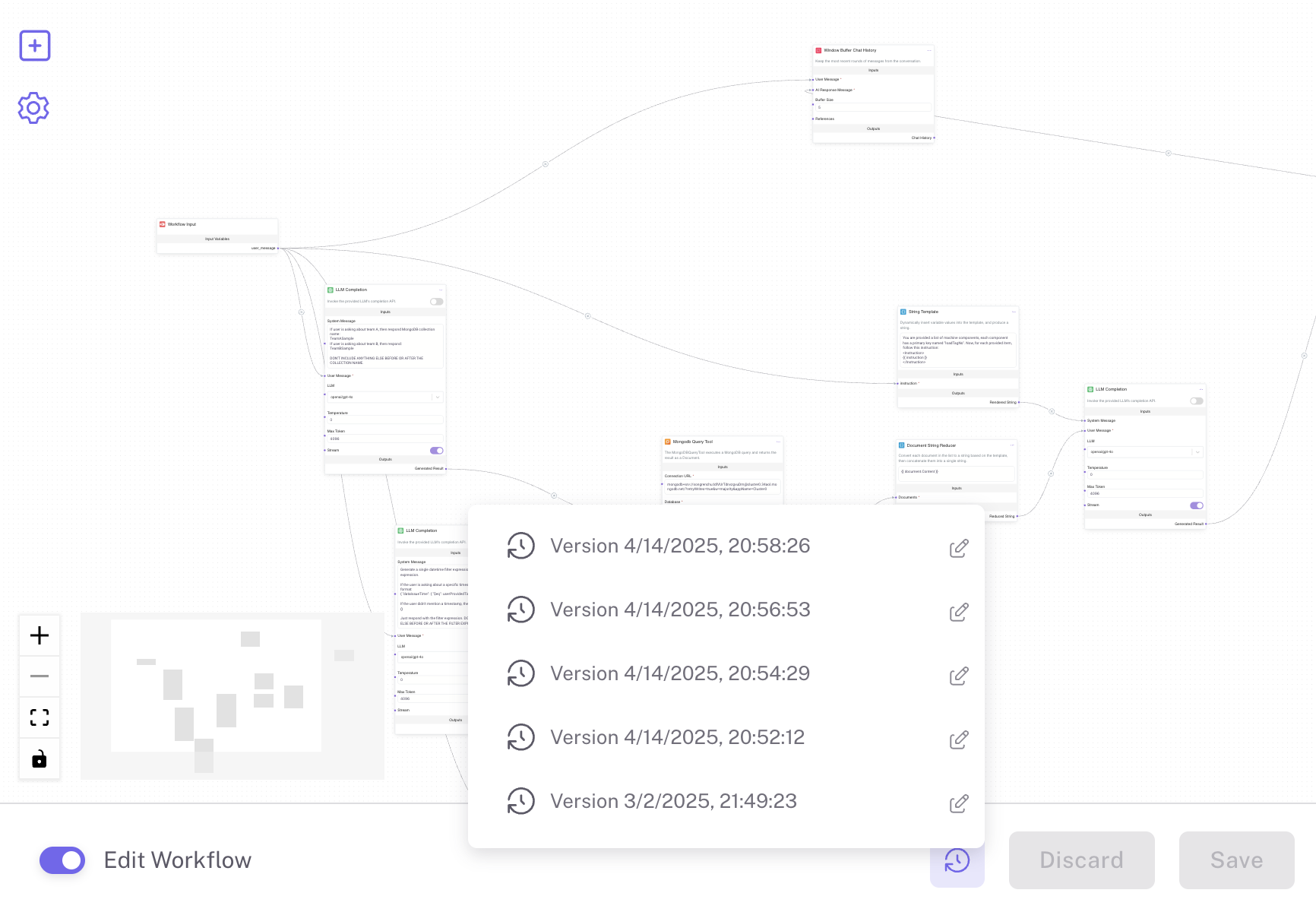
### Accessing Version History
Click the **Version History** icon in the bottom bar to open the list of previously saved versions. Each version entry includes:
* A **timestamp** (default label) or an optional **custom tag**
* Hover and click to **restore to that version**
* An edit icon for renaming the tag
> Only saved versions will appear. Unsaved changes must be saved before a new version is recorded.
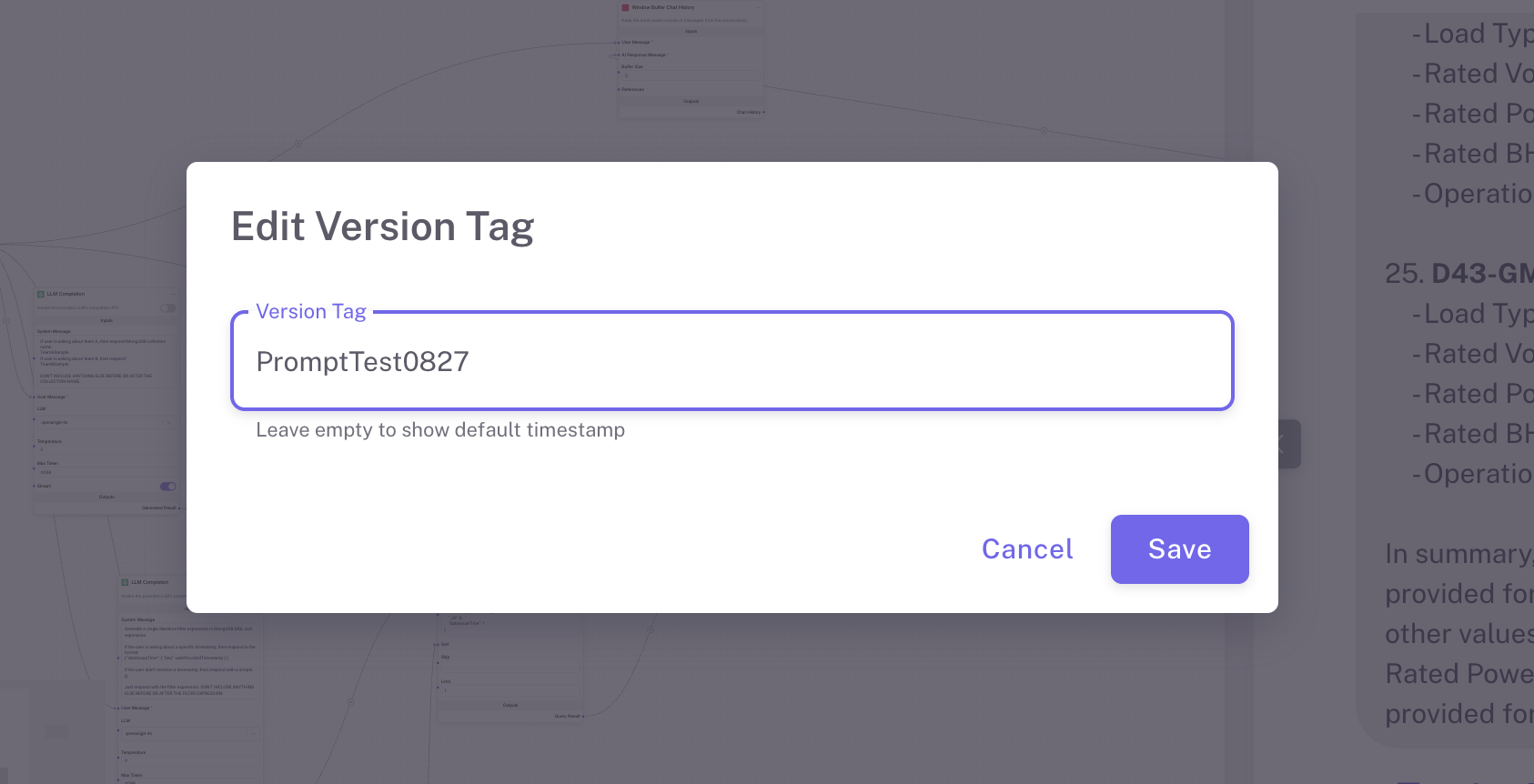
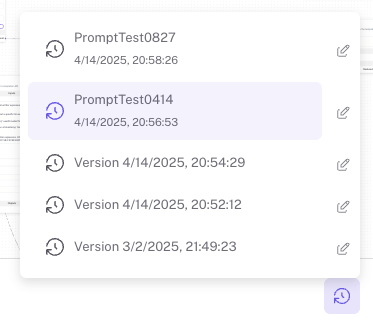
### Tagging a Version
You can assign a **custom tag** to any version to help you identify important checkpoints (e.g., `PromptTest0827`, `BetaRelease`, etc.):
1. Click the **Edit icon** next to a version in the list.
2. In the **Edit Version Tag** modal, enter your custom label.
3. Click **Save** to apply the tag.
> If left blank, the version will be displayed using its timestamp.
### Restoring a Version
To roll back to a previous version:
1. Open the version history using the clock icon.
2. Hover over the desired version.
3. **Click** to restore into that version.
### Send Chat Requests with Version Control
Epsilla allows users to invoke **specific versions** of an AI application configuration by supplying a `version_tag` in the request header. This enables reproducible experiments, A/B testing, or rollback behavior directly via API—without modifying the live application.
#### Usage
To target a specific version of your AI workflow, include the `version_tag` header in your API request. This version must already exist ( via a custom tag defined from the UI).
```bash
curl -X POST "https://rag.epsilla.com/chat/{projectId}/{appId}/{conversation-UUID}" \
-H "X-API-Key: {Your-API-Key-Here}" \
-H "Content-Type: application/json" \
-H "version_tag: {Your-Version-Tag}" \
-d '{
"message": "{The question}"
}'
```
#### Notes
* If `version_tag` is **omitted**, the request uses the **latest saved configuration**.
* The `version_tag` value must match exactly with one of the version tags visible in the **Version History**.
* This feature is ideal for:
* Reproducing past results
* Isolating bugs in specific versions
* Controlled A/B testing across deployments
### Best Practices
* We recommend tagging the versions with meaningful names (e.g., `PromptFix0826`, `BetaDeploy`, `v1.2-customerA`). This ensures clarity and traceability across environments.
* **Save** during major edits to maintain a detailed version timeline.
* Use version history to **experiment confidently**, knowing you can always revert.